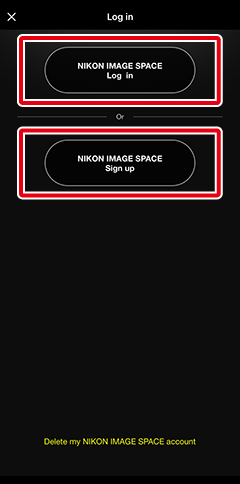
Signing In to Nikon Imaging Cloud with Your Nikon ID
Select [App options] > [Nikon ID] in the app menu to sign in to Nikon Imaging Cloud using your Nikon ID. After signing in to Nikon Imaging Cloud, you can upload pictures to the Image Space cloud storage service. If you don’t have a Nikon ID, you can sign up to create one.
Signing In to and Signing Up for Nikon Imaging Cloud
You can also sign in to or sign up for Nikon Imaging Cloud from the  tab.
tab.
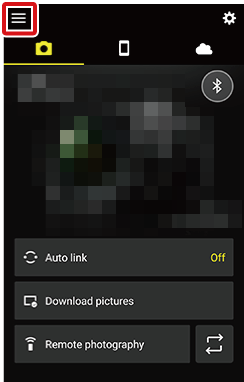
Follow the steps below to sign in to or sign up for Nikon Imaging Cloud via the app menu.
Tap
 .
.
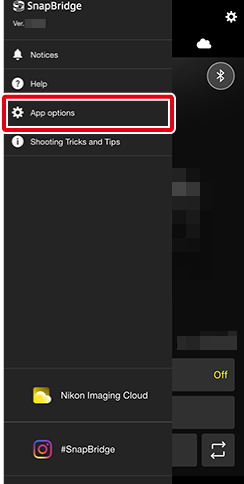
Tap [App options].
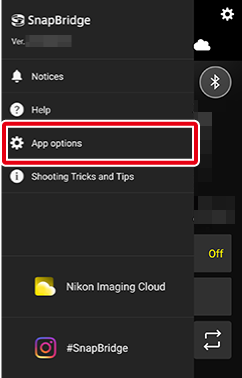
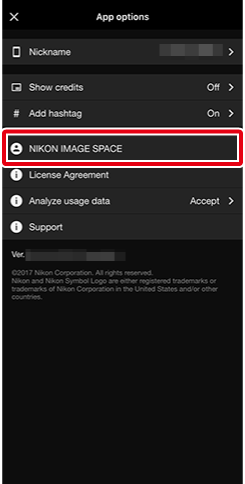
Tap [Nikon ID].
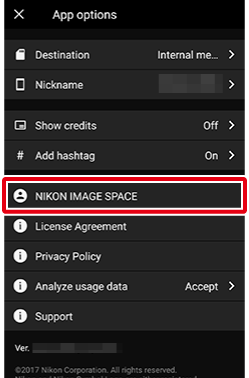
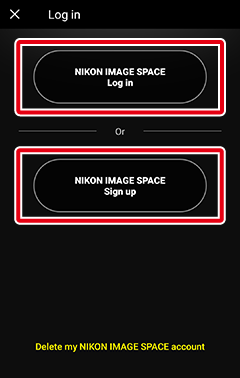
Follow the on-screen instructions to sign in or sign up.
Signing In to and Signing Up for Nikon Imaging Cloud
You can also sign in to or sign up for Nikon Imaging Cloud from the tab.
Follow the steps below to sign in to or sign up for Nikon Imaging Cloud via the app menu.
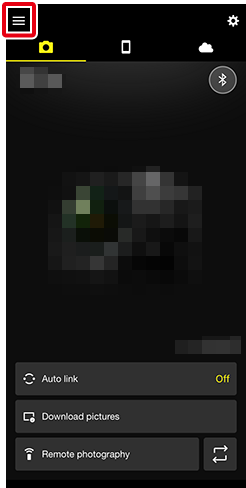
Tap
.
Tap [App options].
Tap [Nikon ID].
Follow the on-screen instructions to sign in or sign up.