
Uploading Pictures to Image Space
Connect to Nikon Imaging Cloud to upload pictures, downloaded from your camera to your smart device, to the Image Space cloud storage service. You must create a Nikon ID and sign in to Nikon Imaging Cloud to use the service.
-
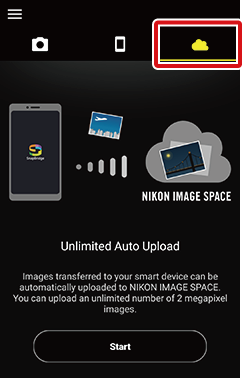
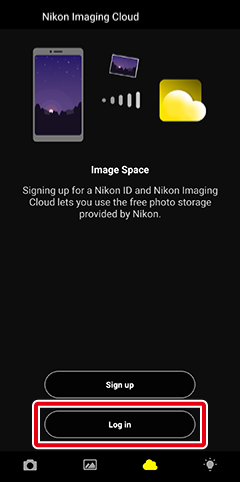
Proceed to Step 4 if you have already signed in to Nikon Imaging Cloud.
-
Allowing Access to Pictures
If prompted to grant permission to access pictures on the smart device, follow the on-screen instructions. Many features cannot be used without permission.
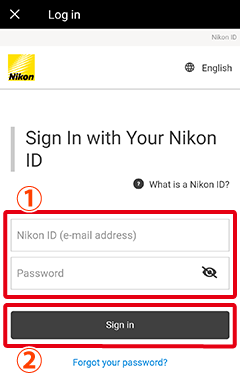
Enter your Nikon ID e-mail address and password and tap [Sign in].
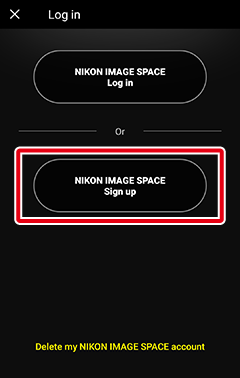
Tap [Sign up] in the dialog shown in Step 2. Follow the instructions on subsequent screens to sign up.
You can also select [App options] > [Nikon ID] in the app menu to sign in or sign up.
-
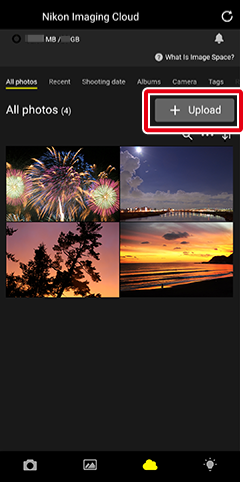
The appearance of Nikon Imaging Cloud may change.
-
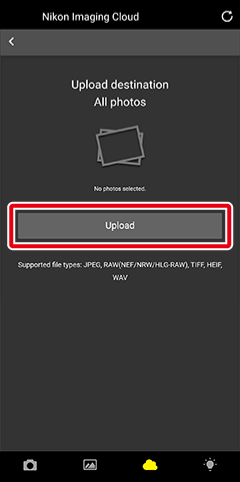
Tap the pictures you wish to upload to Image Space. The
 icon will appear on the picture, indicating a selected state. Tap it again to deselect.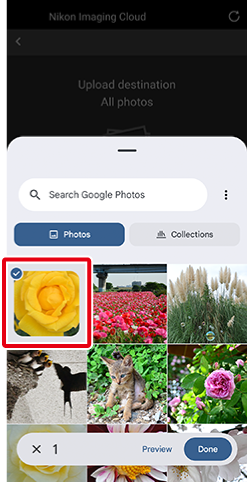
-
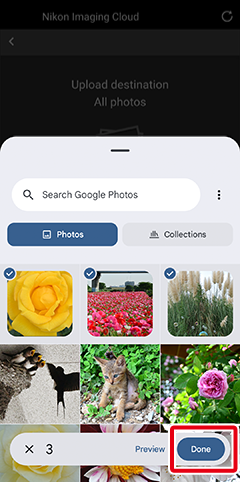
 tab.
tab.-
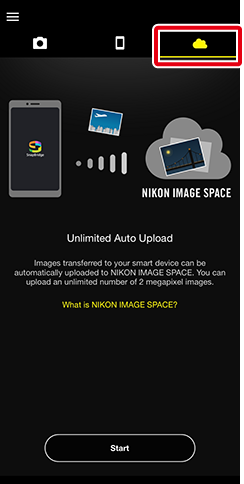
Proceed to Step 4 if you have already signed in to Nikon Imaging Cloud.
-
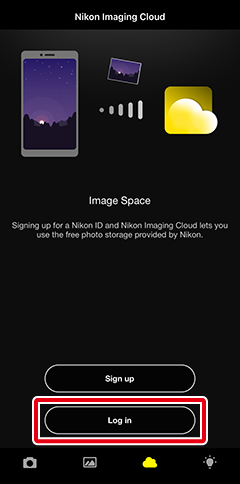
Enter your Nikon ID e-mail address and password and tap [Sign in].
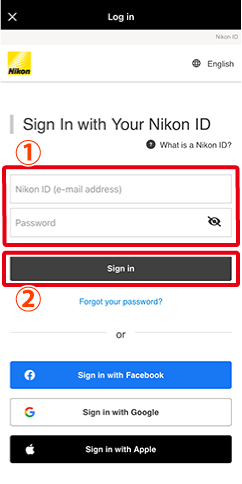
Tap [Sign up] in the dialog shown in Step 2. Follow the instructions on subsequent screens to sign up.
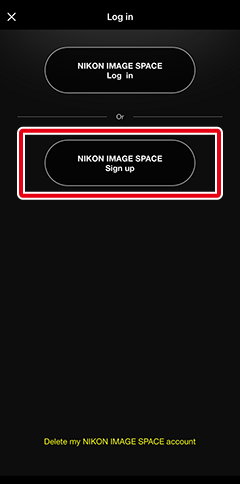
You can also select [App options] > [Nikon ID] in the app menu to sign in or sign up.
-
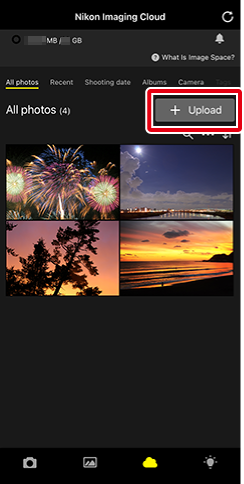
The appearance of Nikon Imaging Cloud may change.
Tap [Upload], then tap [Photo library].
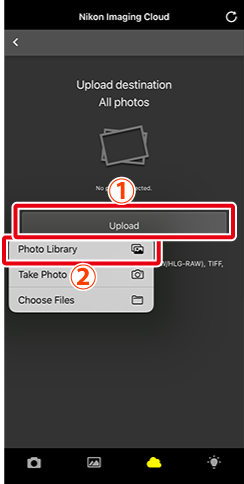
Tap the pictures you wish to upload to Image Space. The
icon will appear on the picture, indicating a selected state. Tap it again to deselect.
-

 to begin upload.